
 Thorsten BallandBennet
c834ea75ef
Thorsten BallandBennet
c834ea75ef
This fixes #10511 by turning off the YAML metadata block rendering in the Markdown parser. `clangd` uses `---` as dividers, but our parser interpreted it as a YAML metadata block, even though it didn't contain any valid YAML. Example Markdown from `clangd`: ### instance-method `format` --- → `void` Parameters: - `const int &` - `const std::tm &` - `int & dest` --- ```cpp // In my_formatter_flag public: void format(const int &, const std::tm &, int &dest) ``` What's between the two `---` is *not* valid YAML. Neovim, too, interprets these as dividers and renders them as such. And since we don't handle any possible metadata anyway, we can turn off the metadata handling, which causes the parser to interpret the `---` as dividers. Release Notes: - Fixed Markdown returned by `clangd` being rendered the wrong way. ([#10511](https://github.com/zed-industries/zed/issues/10511)). Before: 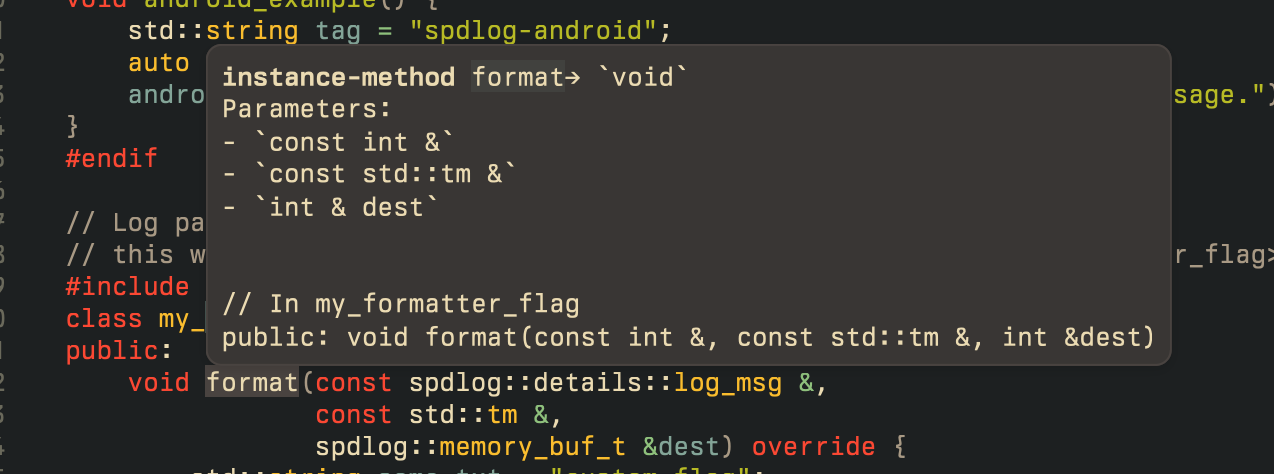 After: 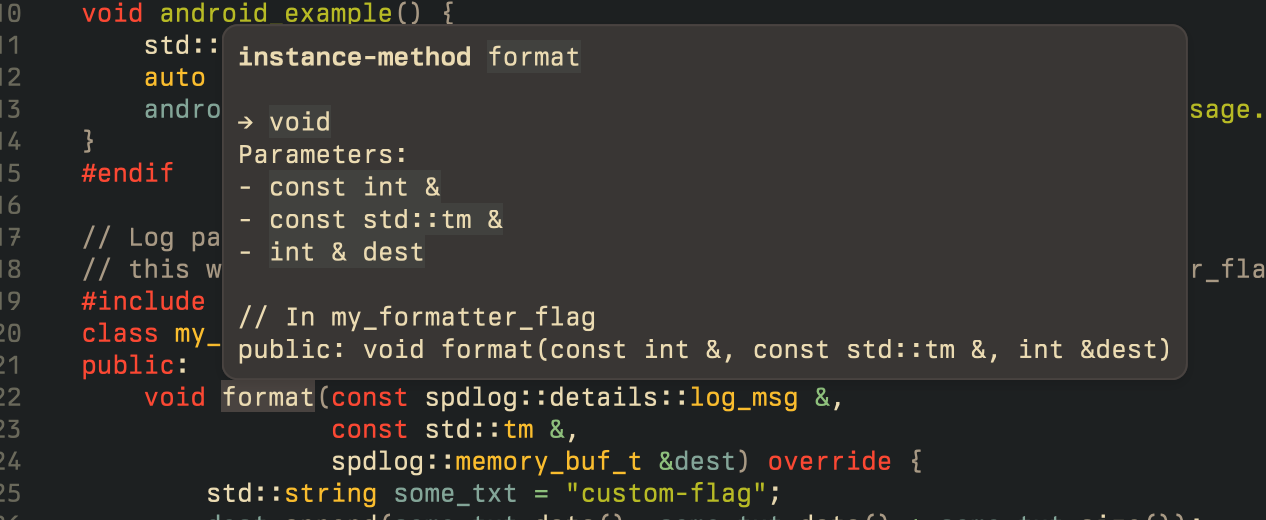 Co-authored-by: Bennet <bennetbo@gmx.de>
Zed

Welcome to Zed, a high-performance, multiplayer code editor from the creators of Atom and Tree-sitter.
Installation
You can download Zed today for macOS (v10.15+).
Support for additional platforms is on our roadmap:
- Linux (tracking issue)
- Windows (tracking issue)
- Web (tracking issue)
For macOS users, you can also install Zed using Homebrew:
brew install --cask zed
Alternatively, to install the Preview release:
brew tap homebrew/cask-versions
brew install zed-preview
Developing Zed
- Building Zed for macOS
- Building Zed for Linux
- Building Zed for Windows
- Running Collaboration Locally
Contributing
See CONTRIBUTING.md for ways you can contribute to Zed.
Licensing
License information for third party dependencies must be correctly provided for CI to pass.
We use cargo-about to automatically comply with open source licenses. If CI is failing, check the following:
- Is it showing a
no license specifiederror for a crate you've created? If so, addpublish = falseunder[package]in your crate's Cargo.toml. - Is the error
failed to satisfy license requirementsfor a dependency? If so, first determine what license the project has and whether this system is sufficient to comply with this license's requirements. If you're unsure, ask a lawyer. Once you've verified that this system is acceptable add the license's SPDX identifier to theacceptedarray inscript/licenses/zed-licenses.toml. - Is
cargo-aboutunable to find the license for a dependency? If so, add a clarification field at the end ofscript/licenses/zed-licenses.toml, as specified in the cargo-about book.