 Nate Butler
08c9157a1e
Nate Butler
08c9157a1e
- Unifies spacing between left and right sides of the tab bar - Use the default icon color for `end_slot` tools. This should help more clearly differentiate when forward or backward navigation is disabled due to the tools on the other side not looking so much like the disabled navigation arrows. - Rework the TabBar implementation in `pane.rs` to directly pass in items to the `start_slot` instead of an unneeded extra horizontal layout. Left side:  Right side: 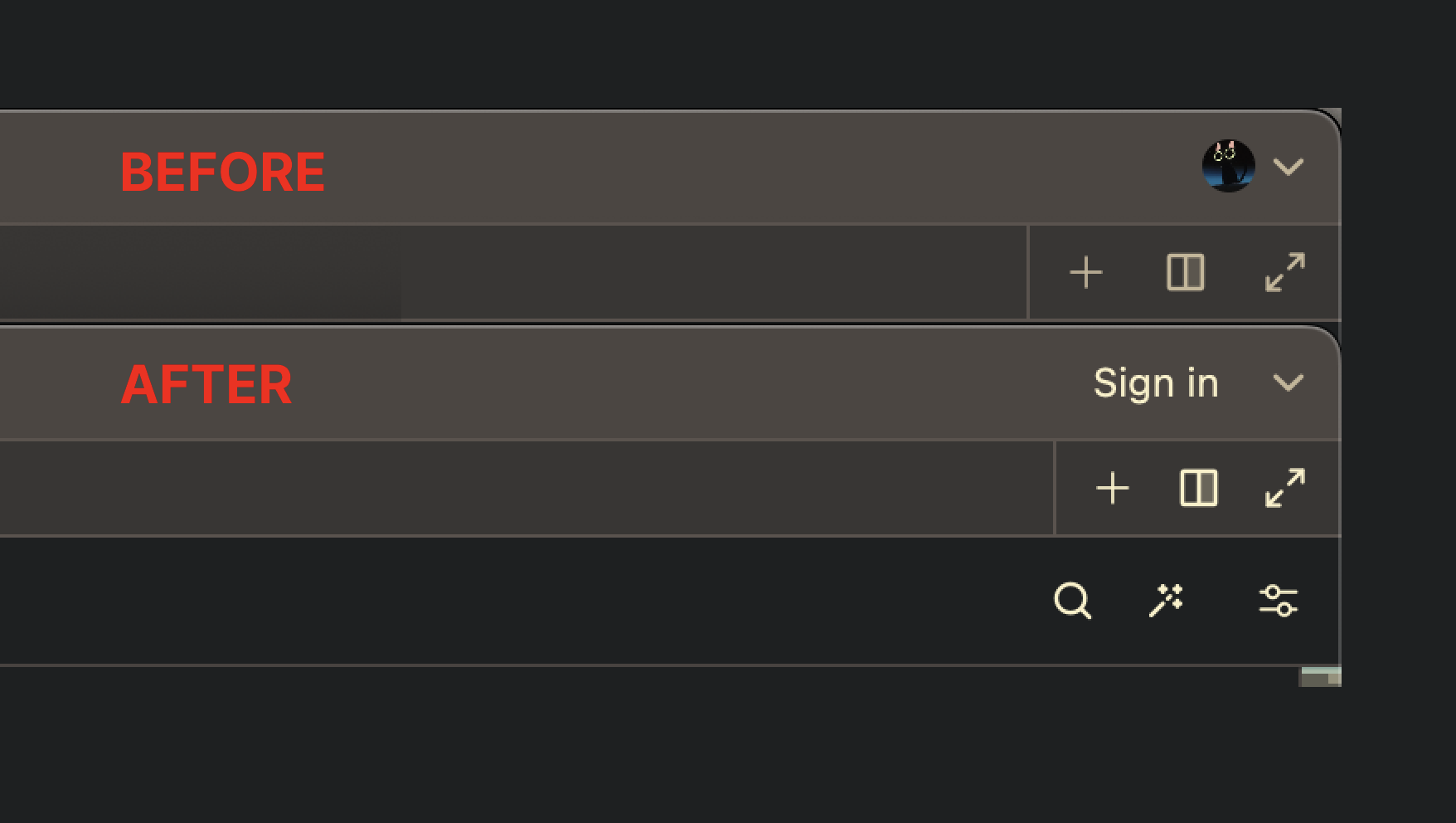 Release Notes: - Standardized some Tab Bar UI elements. You many notice some slight spacing or color changes.
Zed

Welcome to Zed, a high-performance, multiplayer code editor from the creators of Atom and Tree-sitter.
Installation
You can download Zed today for macOS (v10.15+).
Support for additional platforms is on our roadmap:
- Linux (tracking issue)
- Windows (tracking issue)
- Web (tracking issue)
For macOS users, you can also install Zed using Homebrew:
brew install --cask zed
Alternatively, to install the Preview release:
brew install --cask zed@preview
Developing Zed
- Building Zed for macOS
- Building Zed for Linux
- Building Zed for Windows
- Running Collaboration Locally
Contributing
See CONTRIBUTING.md for ways you can contribute to Zed.
Also... we're hiring! Check out our jobs page for open roles.
Licensing
License information for third party dependencies must be correctly provided for CI to pass.
We use cargo-about to automatically comply with open source licenses. If CI is failing, check the following:
- Is it showing a
no license specifiederror for a crate you've created? If so, addpublish = falseunder[package]in your crate's Cargo.toml. - Is the error
failed to satisfy license requirementsfor a dependency? If so, first determine what license the project has and whether this system is sufficient to comply with this license's requirements. If you're unsure, ask a lawyer. Once you've verified that this system is acceptable add the license's SPDX identifier to theacceptedarray inscript/licenses/zed-licenses.toml. - Is
cargo-aboutunable to find the license for a dependency? If so, add a clarification field at the end ofscript/licenses/zed-licenses.toml, as specified in the cargo-about book.