
50 lines
3.0 KiB
Markdown
50 lines
3.0 KiB
Markdown
# Zed Releases
|
|
|
|
Zed currently maintains two public releases for macOS:
|
|
|
|
- [Stable](https://zed.dev/download): This is the primary version that people download and use.
|
|
- [Preview](https://zed.dev/releases/preview): which receives updates a week ahead of Stable for early adopters.
|
|
|
|
Typically we cut a new minor release every Wednesday. The current Preview becomes Stable, and the new Preview contains everything on main up until that point.
|
|
|
|
If bugs are found and fixed during the week, they may be cherry-picked into the release branches and so new patch versions for preview and stable can become available throughout the week.
|
|
|
|
## Wednesday release process
|
|
|
|
You will need write access to the Zed repository to do this:
|
|
|
|
- Checkout `main` and ensure your working copy is clean.
|
|
- Run `./script/bump-zed-minor-versions` and push the tags
|
|
and branches as instructed.
|
|
- Wait for the builds to appear at https://github.com/zed-industries/zed/releases (typically takes around 30 minutes)
|
|
- While you're waiting:
|
|
- Start creating the new release notes for preview. You can start with the output of `./script/get-preview-channel-changes`.
|
|
- Start drafting the release tweets.
|
|
- Once the builds are ready:
|
|
- Copy the release notes from the previous Preview release(s) to the current Stable release.
|
|
- Download the artifacts for each release and test that you can run them locally.
|
|
- Publish the releases on GitHub.
|
|
- Tweet the tweets (Credentials are in 1Password).
|
|
|
|
## Patch release process
|
|
|
|
If your PR fixes a panic or a crash, you should cherry-pick it to the current stable and preview branches. If your PR fixes a regression in recently released code, you should cherry-pick it to preview.
|
|
|
|
You will need write access to the Zed repository to do this:
|
|
|
|
- Send a PR containing your change to `main` as normal.
|
|
- Leave a comment on the PR `/cherry-pick v0.XXX.x`. Once your PR is merged, the GitHub bot will send a PR to the branch.
|
|
- In case of a merge conflict, you will have to cherry-pick manually and push the change to the `v0.XXX.x` branch.
|
|
- After the commits are cherry-picked onto the branch, run `./script/trigger-release {preview|stable}`. This will bump the version numbers, create a new release tag, and kick off a release build.
|
|
- This can also be run from the [GitHub Actions UI](https://github.com/zed-industries/zed/actions/workflows/bump_patch_version.yml):
|
|
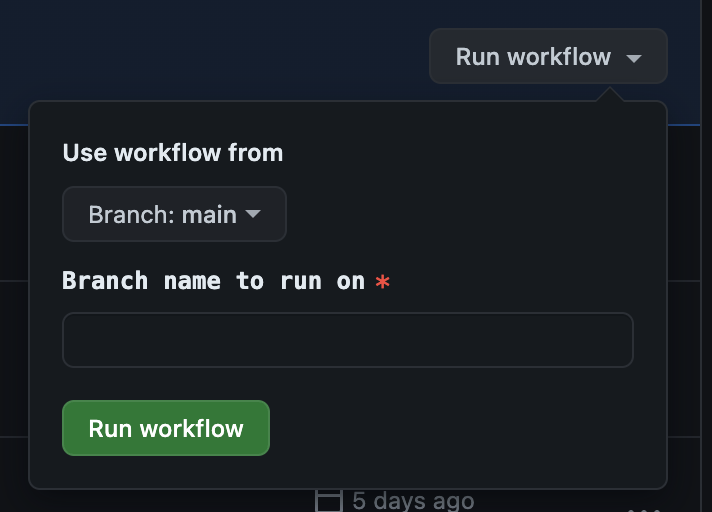
|
|
- Wait for the builds to appear at https://github.com/zed-industries/zed/releases (typically takes around 30 minutes)
|
|
- Proof-read and edit the release notes as needed.
|
|
- Download the artifacts for each release and test that you can run them locally.
|
|
- Publish the release.
|
|
|
|
## Nightly release process
|
|
|
|
In addition to the public releases, we also have a nightly build that we encourage employees to use.
|
|
Nightly is released by cron once a day, and can be shipped as often as you'd like. There are no release notes or announcements, so you can just merge your changes to main and run `./script/trigger-release nightly`.
|