 Nate Butler
1f0dc8b754
Nate Butler
1f0dc8b754
This PR significantly expands the assistant documentation, breaking it
out into sections, adding examples and further documenting features.

This PR introduces a convention in docs for swapping keybindings for mac
vs linux:

`<kbd>cmd-enter|ctrl-enter</kbd>`

In the above example, the first will be shown for mac, the second for
linux or windows.

TODO:

- [ ] Fix table style (for `/assistant/configuration`)
- [x] Add script to swap keybindings based on platform
- It should take in this format: [`cmd-n` (mac)|`ctrl-n`(linux)] and
return just the correct binding for the viewer's platform.
- [ ] Add image/video assets (non-blocking)

Release Notes:

- Updated assistant documentation
18 lines
966 B
Markdown
18 lines
966 B
Markdown
# Introducing Contexts
|
|
|
|
Contexts are like conversations in most assistant-like tools. A context is a collaborative tool for sharing information between you, your project, and the assistant/model.
|
|
|
|
The model can reference content from your active context in the assistant panel, but also elsewhere like the inline assistant.
|
|
|
|
### Saving and Loading Contexts
|
|
|
|
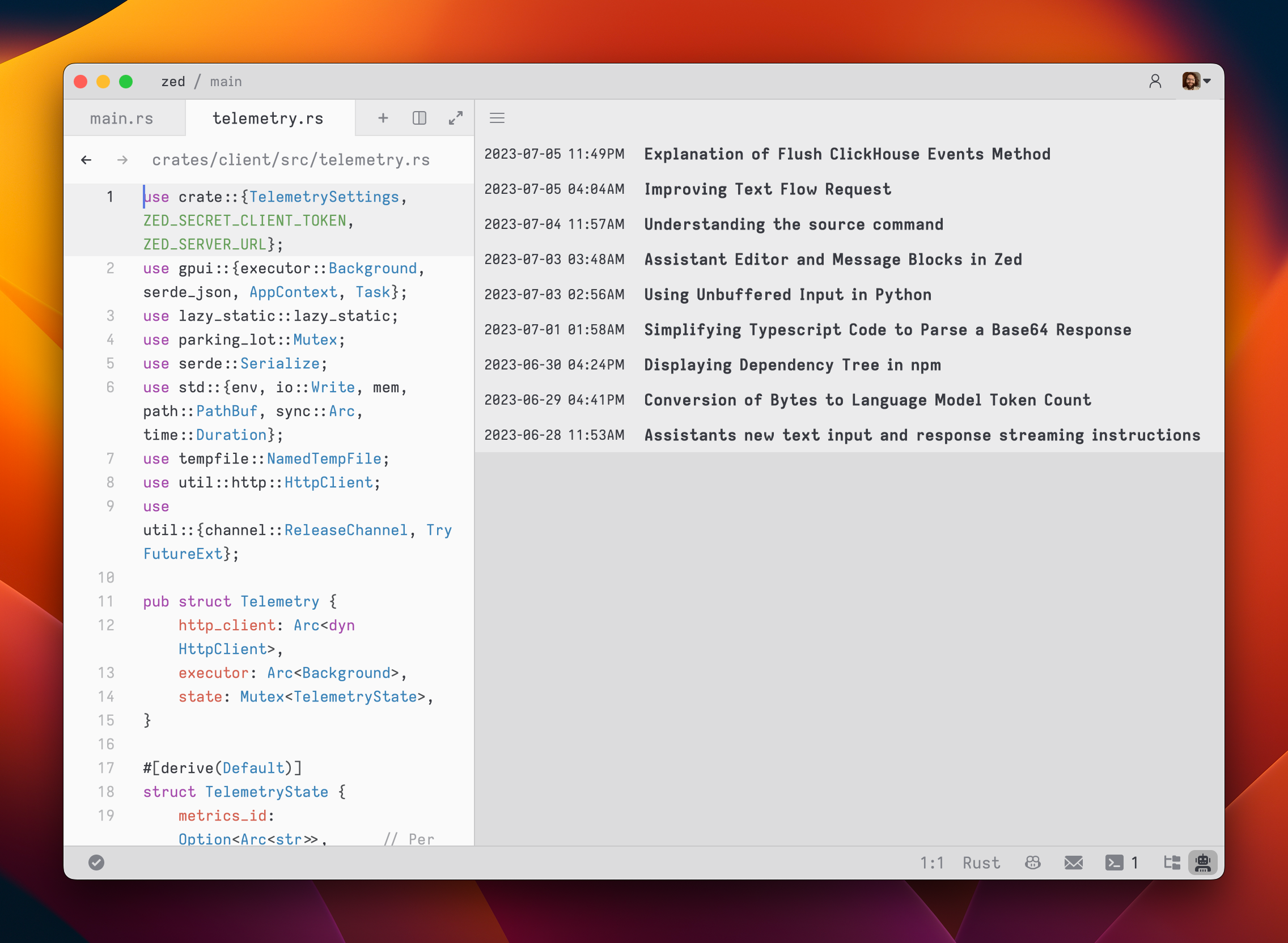
After you submit your first message, a name for your context is generated by the language model, and the context is automatically saved to your file system in `~/.config/zed/contexts`. You can access and load previous contexts by clicking on the hamburger button in the top-left corner of the assistant panel.
|
|
|
|
|
|
|
|
### Viewing Past Contexts
|
|
|
|
You can view all previous contexts by opening the `History` tab in the assistant panel.
|
|
|
|
Open the `History` using the menu in the top right of the assistant panel and choosing `History`.
|